
Theuzora
Your Partner in Digital Growth
Theuzora
Your Partner in Digital Growth
Your Partner in Digital Growth
In January 2026, my WordPress site was painfully slow. Mobile visitors bounced instantly. Core Web Vitals were failing. Some pages took over 7 seconds to load.
I kept buying “faster hosting” thinking that was the fix. It wasn’t.
That’s when I stopped following generic checklists and started testing everything manually — one change at a time, with real numbers before and after. Here’s exactly what I found.
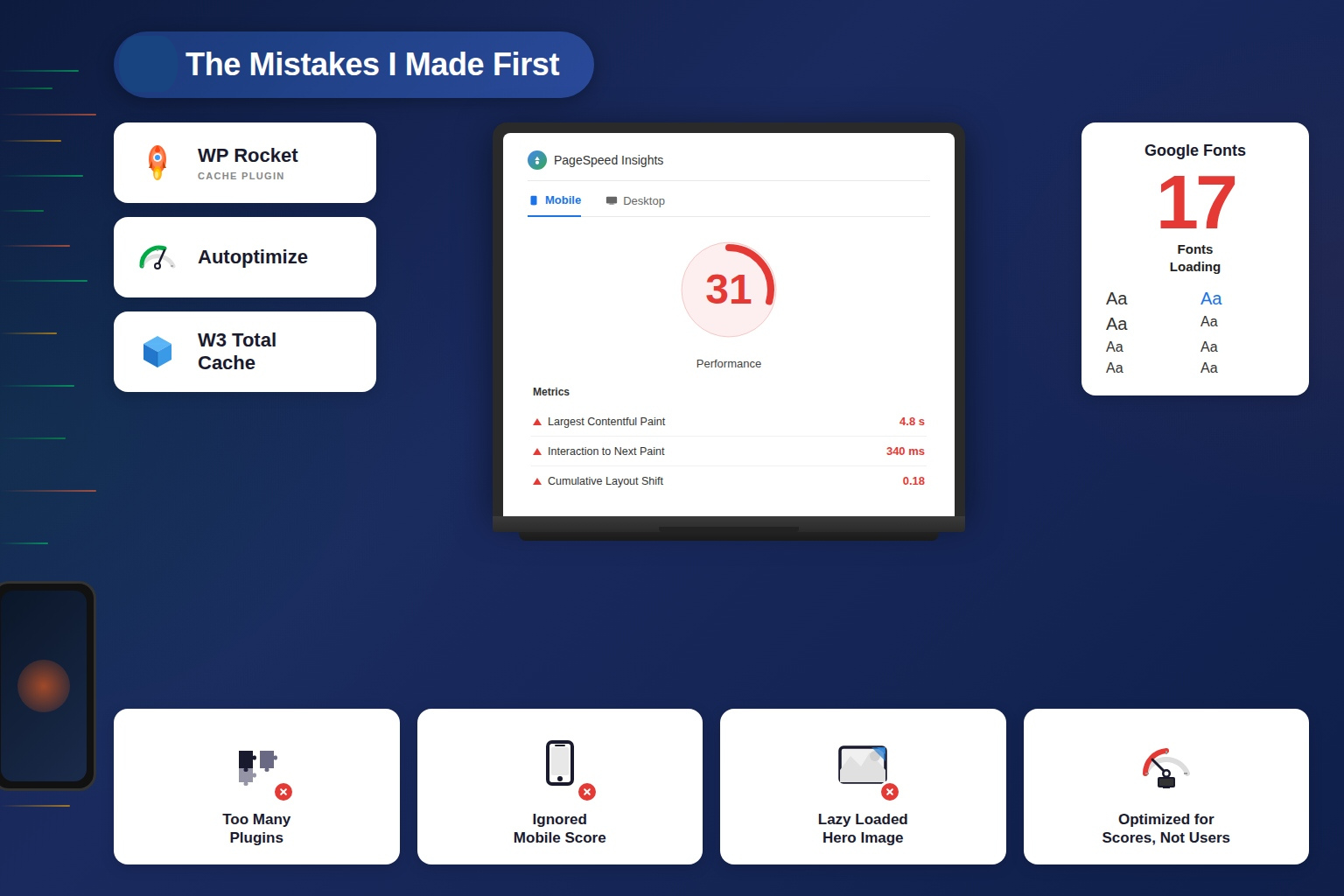
Most guides skip this part. I won’t.
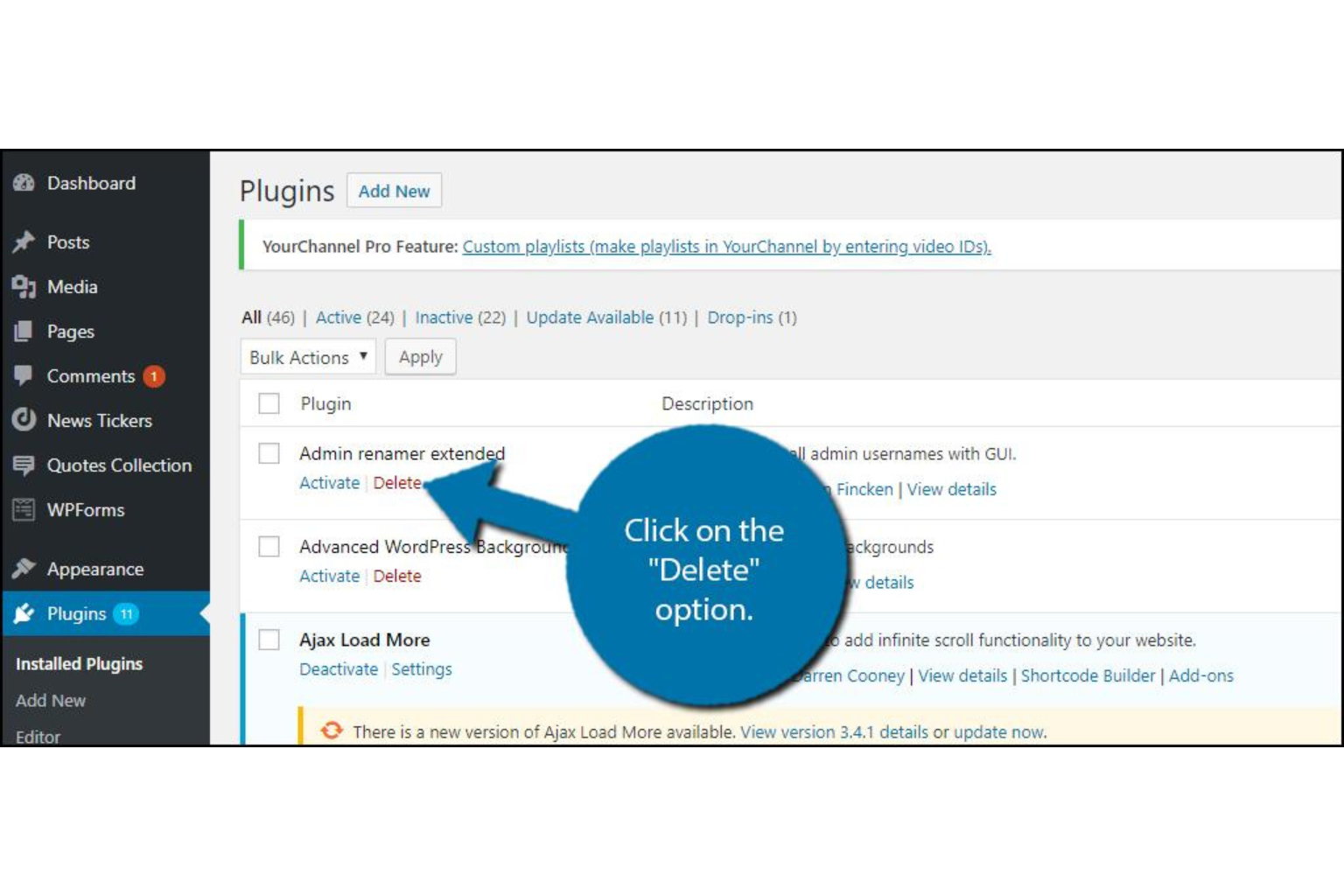
I installed Perfmatters and audited every script loading on every page.
One form builder plugin was loading 1.4MB of JavaScript on every single page — including pages that had no form on them. That’s how WordPress works by default: plugins load everywhere unless you tell them not to.
I set conditional loading rules so scripts only load on pages that actually need them. Then I deleted 9 plugins I wasn’t using anymore.
Result: Page requests dropped from 74 to 31. LCP improved from 4.2s to 2.8s on mobile.
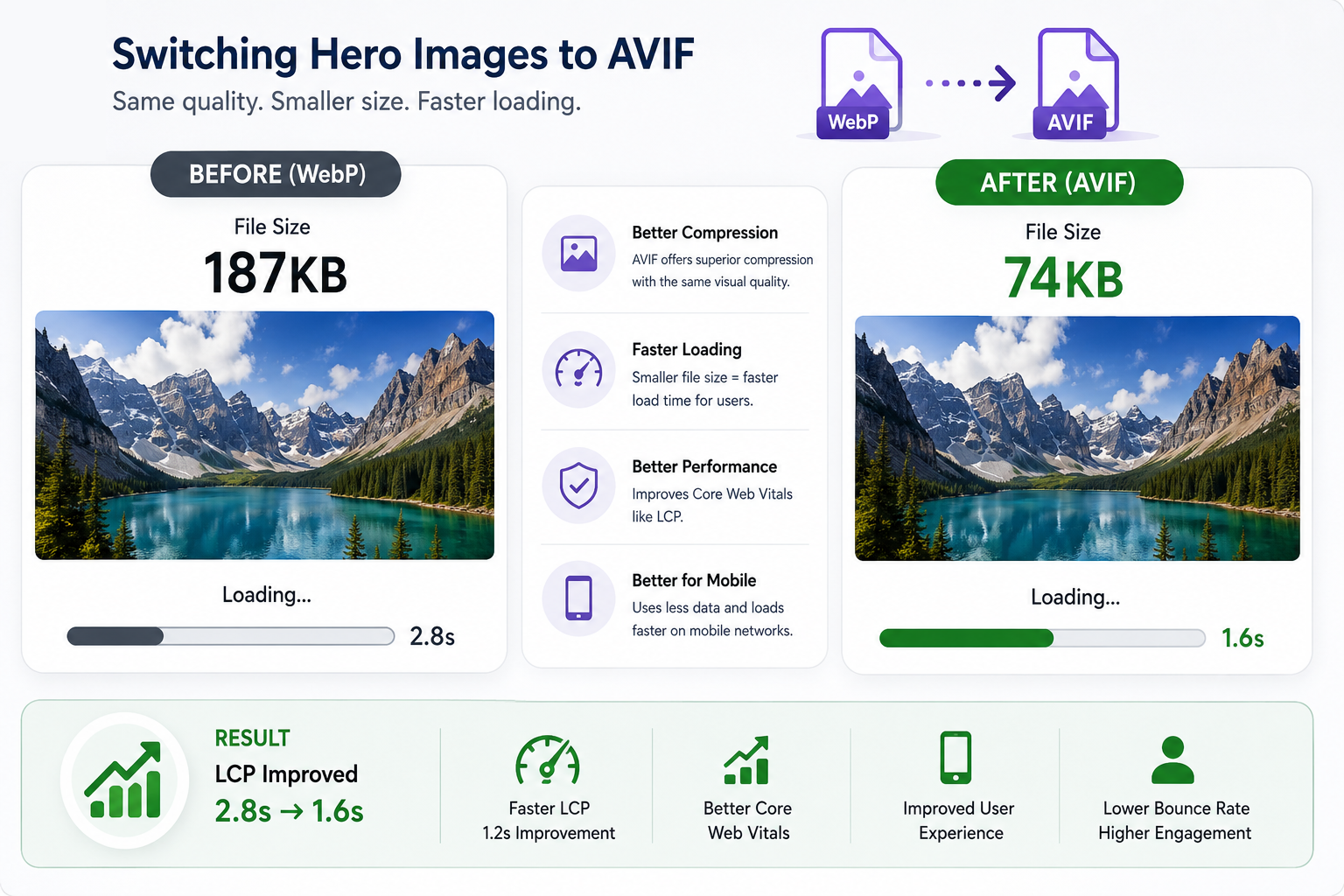
I was already using WebP and thought I was fine. Then I tested AVIF.
My hero image dropped from 187KB to 74KB at the same visual quality. That difference is felt immediately on mobile connections.
I also added fetchpriority=”high” to my hero image and preloaded it in the <head>. The browser now knows this is the most important element on the page and loads it first.
Result: LCP dropped from 2.8s to 1.6s.
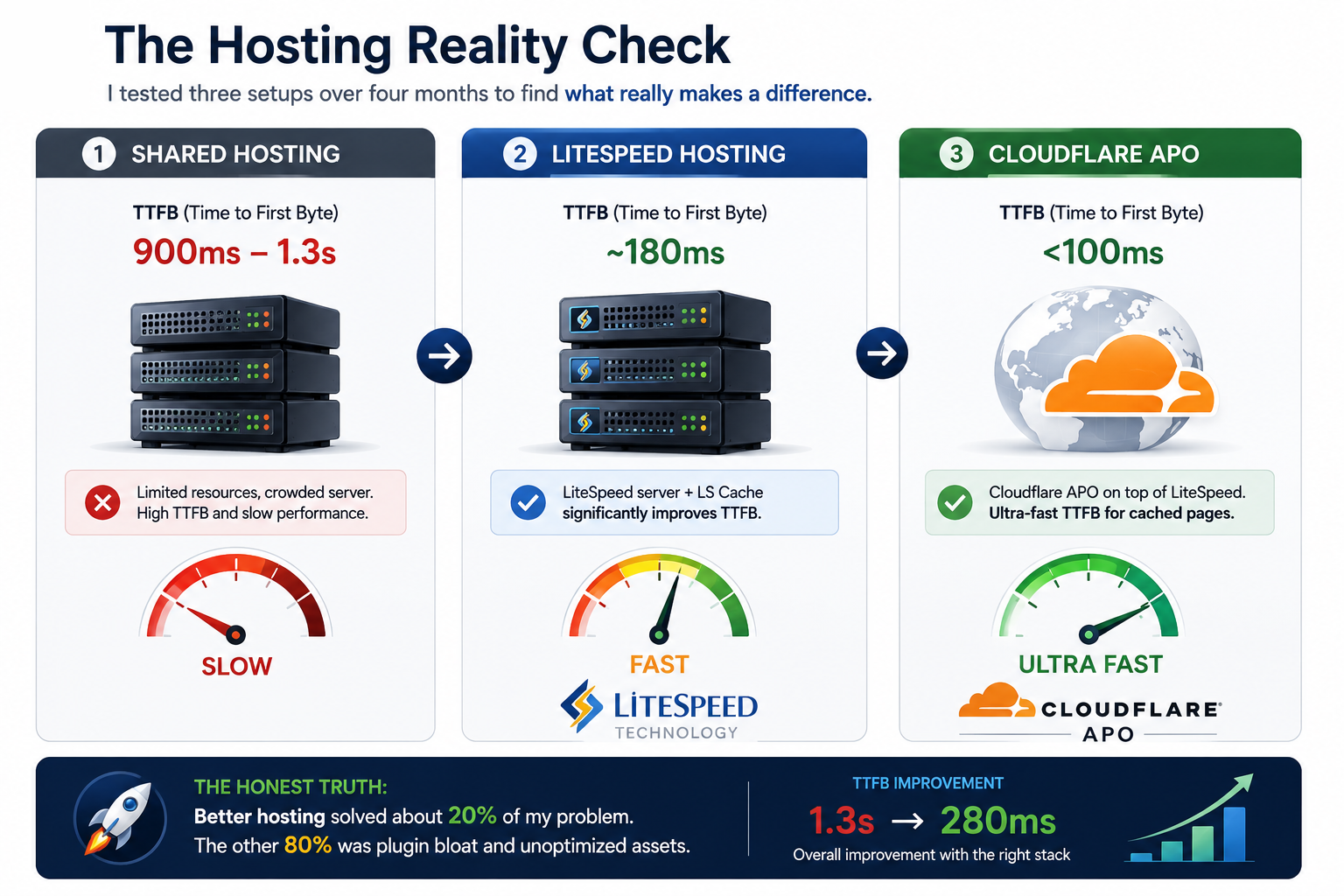
I tested three setups over four months:
But here’s the honest truth: better hosting solved about 20% of my problem. The other 80% was plugin bloat and unoptimized assets. Hosting is necessary — just not sufficient.
Result: TTFB dropped from 1.3s to 280ms.
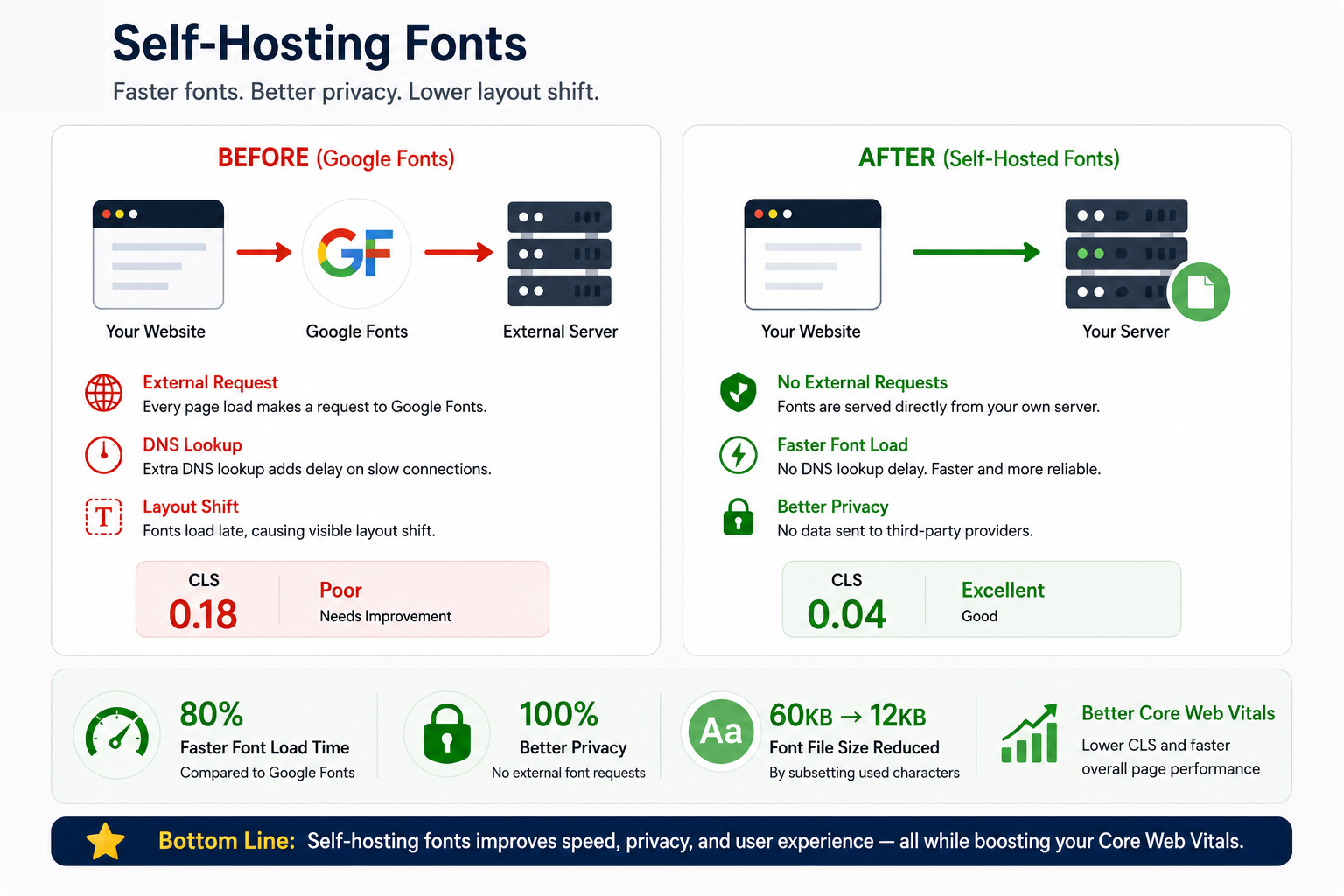
I was loading Google Fonts via an external link — meaning every page visit required a DNS lookup to Google before fonts could load. On slow connections, this caused visible layout shift as fonts swapped in.
I downloaded the font files and loaded them directly from my own server. I also subsetted them cutting each font from ~60KB to under 12KB by keeping only the characters I actually use.
Result: CLS dropped from 0.18 to 0.04. Font load time cut by 80%.
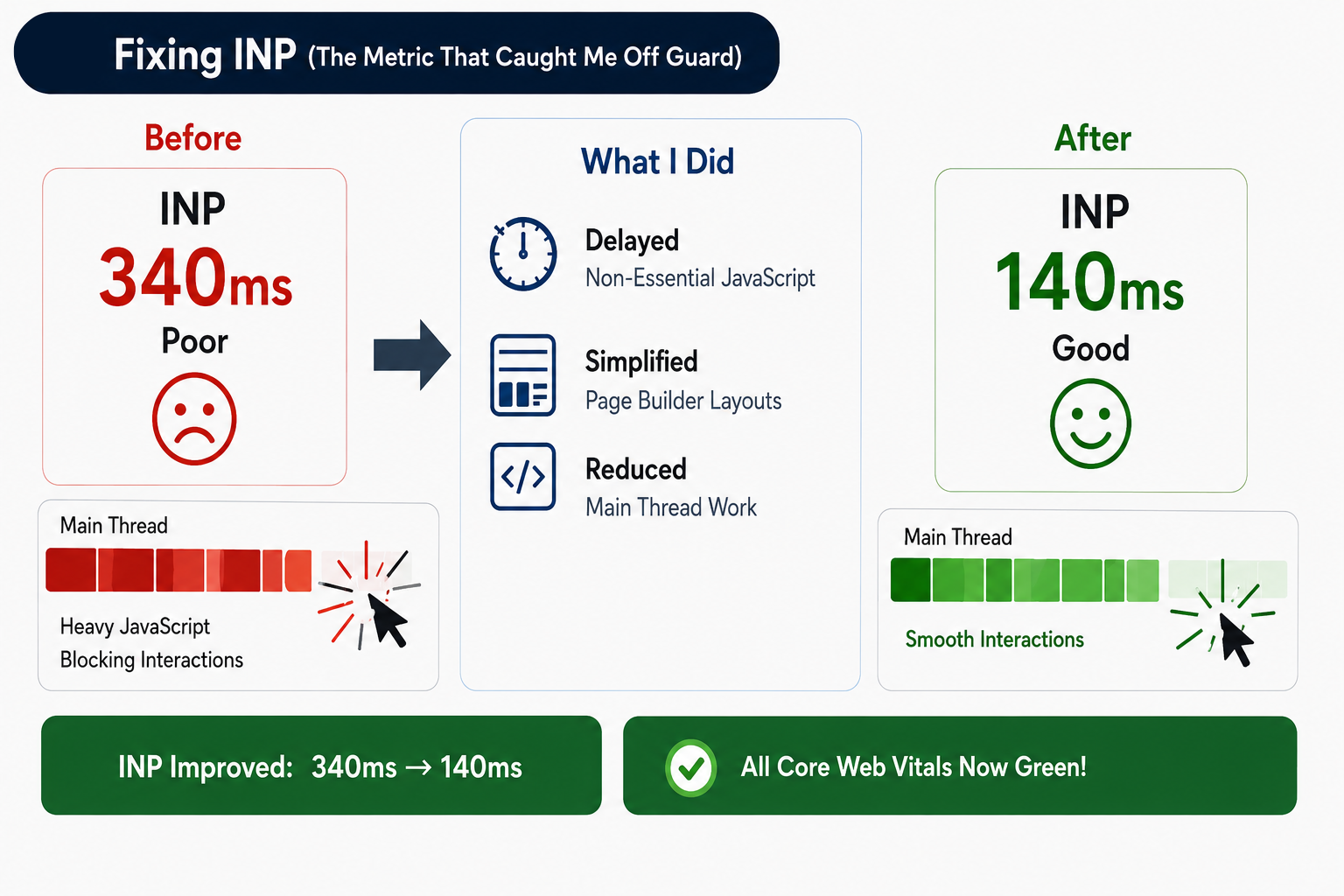
INP replaced FID in March 2024. It measures every interaction on the page, not just the first one. My INP was at 340ms well above the 200ms threshold.
The problem was JavaScript blocking the main thread. I enabled “Delay JavaScript” in WP Rocket, which postpones non-essential scripts until after first user interaction. I also simplified my page builder layouts — a bloated DOM directly hurts INP.
Result: INP dropped from 340ms to 140ms. All three Core Web Vitals now green.
WordPress isn’t slow by nature. What makes it slow is everything we pile on top. Strip it back, test one thing at a time, and the results will follow.
Last updated: May 2026 | Tested on WordPress 6.5 with WP Rocket + Perfmatters + Cloudflare APO + LiteSpeed hosting